What is Viva Engage?
Viva Engage is a social networking platform within the Microsoft Viva suite of apps. It is designed to connect people across the organization to share and learn. Employees can connect with leaders, coworkers, and communities to share their knowledge and ideas.
Viva Engage API in Microsoft Graph
Viva Engage can be accessed programmatically through the Viva Engage API in Microsoft Graph.
Followers
In Viva Engage, users may follow other users within the platform. Users can stay updated with the activities and posts of the people they follow. It's useful for keeping track of influential or key individuals within the organization, such as leaders or ambassadors who can help spread news and awareness on specific topics.
When is it useful?
When you want to ensure that employees follow the right people who spread news on specific topics:
- Track influential people and company leaders
- Track tech leaders and evangelists
- Track managers and colleagues from the department
- Track HR or back office contacts
- Automate onboarding — add new employees to follow specific people like HR, company leadership, their manager, or tech lead
- Handle department transfers — unfollow people from the old department, follow people from the new department
Prerequisites
- Microsoft Entra ID app registration with appropriate permissions
User.Read.Alland Viva Engage delegated/application permissions- Microsoft Graph SDK or HTTP client
Actions
The following API endpoints allow you to manage followers in Viva Engage:
Get followers of a user
Check who is following a specific user in Viva Engage.
GET https://graph.microsoft.com/beta/users/{user-id}/employeeExperience/storyline/followers
Get followed users of a user
Check who a specific user is following in Viva Engage.
GET https://graph.microsoft.com/beta/users/{user-id}/employeeExperience/storyline/followings
Follow a user
The signed-in user can follow another user in Viva Engage.
POST https://graph.microsoft.com/beta/users/{user-id}/employeeExperience/storyline/follow
{
}
Keep the request body empty. The user identified by {user-id} will be followed by the signed-in user.
Unfollow a user
The signed-in user can unfollow another user in Viva Engage.
POST https://graph.microsoft.com/beta/users/{user-id}/employeeExperience/storyline/unfollow
{
}
Keep the request body empty. The user identified by {user-id} will be unfollowed by the signed-in user.
If you are using some AI coding assistant, you can easily generate a simple application or script to automate follower management in Viva Engage using these API endpoints. For example, you can create a script that automatically adds new employees to follow their manager and HR contact during onboarding, or unfollows old department contacts and follows new ones during department transfers.
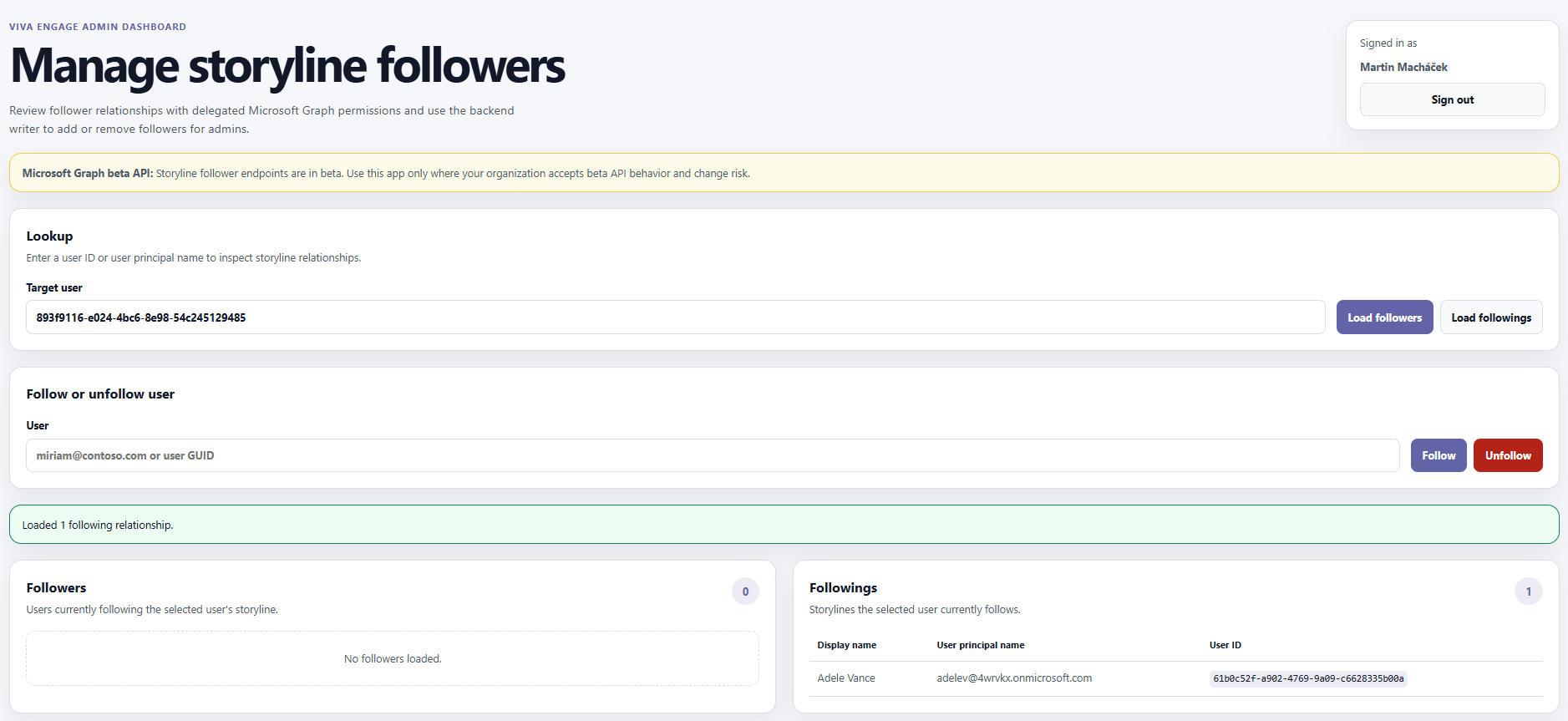
I used GitHub Copilot to quickly generate a sample dashboard application for managing Viva Engage followers. In the prompt, I specified the API endpoints and the desired features of the dashboard, and it generated the code for me.
Conclusion
The Viva Engage API in Microsoft Graph provides a powerful way to programmatically manage follower relationships. By automating who employees follow, organizations can ensure that important communications reach the right people — whether during onboarding, department changes, or ongoing engagement initiatives.
