Outlook note
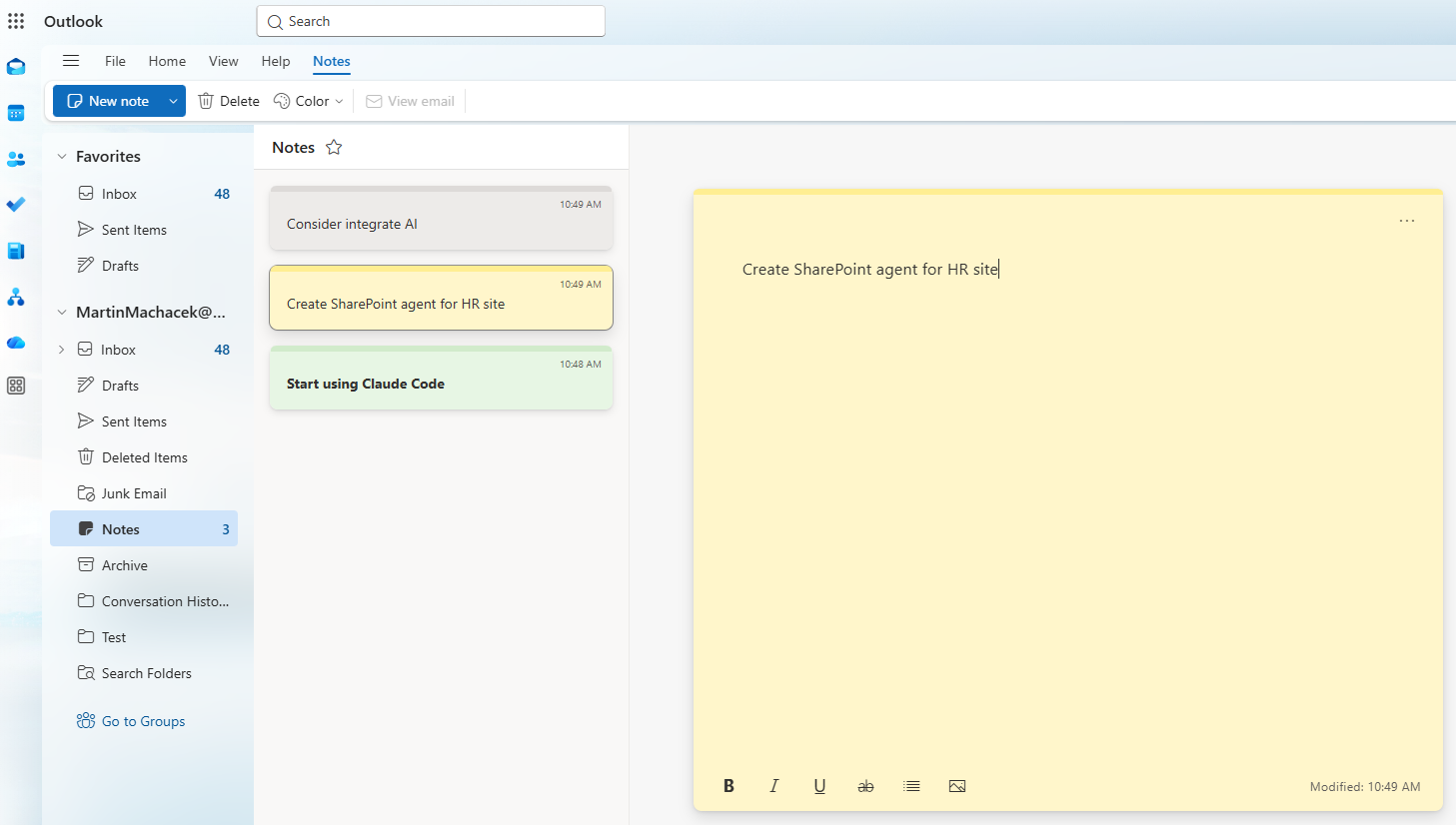
Outlook note represents a simple note in the user's Notes folder. Notes support text content with optional inline image attachments, and are suitable for quick capture scenarios.
If you check the Notes folder in your Outlook, you will find out that it contains short notes that you can create, edit, and delete.
Accessing notes via Microsoft Graph
The Microsoft Graph API exposes Short Notes in the /beta endpoint as the note resource stored in a user’s Outlook Notes folder.
A note is a lightweight item with a subject, a body that can be plain text or HTML, an auto-generated bodyPreview, categories, timestamps, a changeKey for concurrency, and flags such as hasAttachments and isDeleted.
The core workflow is straightforward:
- list notes with
GET /me/notes - create with
POST /me/notes - read one with
GET /me/notes/{note-id} - update with
PATCH /me/notes/{note-id} - and delete with
DELETE /me/notes/{note-id}
For read scenarios, the least-privileged permission is ShortNotes.Read.
For create, update, and delete, it is ShortNotes.ReadWrite.
Be aware, that only delegated permissions are supported and signed-in user can only access their own notes.
For synchronization, the Microsoft Graph API supports
- delta queries through
GET /me/notes/delta
which lets apps do an initial full sync and then track only changes by following @odata.nextLink and saving the final @odata.deltaLink for the next round.
Attachments
Notes also support inline image attachments, you can:
- list them with
GET /me/notes/{note-id}/attachments - add one with
POST /me/notes/{note-id}/attachments - remove one with
DELETE /me/notes/{note-id}/attachments/{attachment-id}
Attachments are limited to inline images only (png, jpeg, gif, bmp), with a maximum size of 3 MB each.
To embed an image in the note body, create the attachment with isInline: true and a contentId, then reference it from HTML as cid:{contentId}.
For updates and deletes, it's recommended using the note’s changeKey in the If-Match header to avoid overwriting changes and to enable optimistic concurrency control.
Usage scenarios
First of all, these short notes are private and secure, because they can be accessed only by the signed-in user with delegated permissions. Even the admin should not be able to access other users' notes.
Short notes are best for lightweight capture and retrieval scenarios, where you need something simpler than a document, email, or OneNote page.
Typical usage can be:
- Quick personal notes like reminders, ideas, shopping lists, meeting scraps, or follow-ups.
- App-side scratchpads where users need a small note attached to their own workflow, without building a full notes system.
- Cross-device note sync for apps that want to keep a user’s short notes aligned through Microsoft Graph.
- Rich mini-notes that need simple HTML formatting and inline images, such as annotated screenshots or whiteboard snapshots.
- Recent-notes experiences like dashboards, widgets, or launchers that show the latest notes with previews.
- Offline-sync clients that need efficient change tracking through delta queries instead of reloading the whole note set.
- Categorized note collections where users want to group quick notes by topic, project, or context.
Create the app with simple prompt
I've tried to ask my GitHub Copilot to generate a simple app to manage Outlook notes. The prompt was:
Create a small app to manage short notes in user's Notes folder (Outlook). API is described here:

https://learn.microsoft.com/en-us/graph/api/user-list-notes
https://learn.microsoft.com/en-us/graph/api/user-post-notes
https://learn.microsoft.com/en-us/graph/api/note-get
https://learn.microsoft.com/en-us/graph/api/note-update
https://learn.microsoft.com/en-us/graph/api/note-delete
https://learn.microsoft.com/en-us/graph/api/note-delta
https://learn.microsoft.com/en-us/graph/api/note-list-attachments
https://learn.microsoft.com/en-us/graph/api/attachment-delete
https://learn.microsoft.com/en-us/graph/api/note-post-attachments
https://learn.microsoft.com/en-us/graph/api/resources/note

Make the app look like from Stargate.
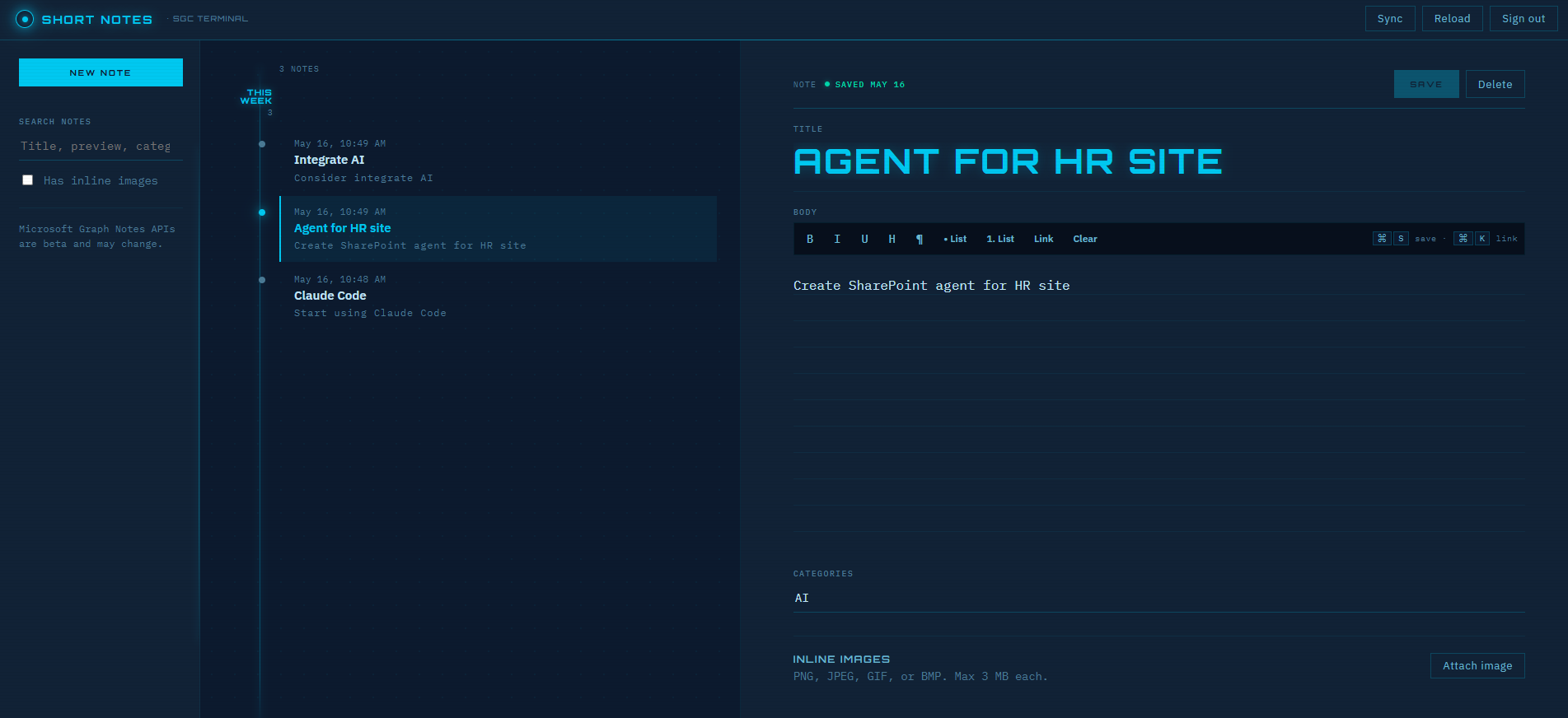
I've provided links to the API documentation, so the Copilot can understand the API structure and generate code accordingly. By default, LLMs are used some basic generic design for UI and UX, but by adding "Make the app look like from Stargate", I was able to get a more sci-fi themed design with a dark background, neon accents, and a futuristic font.
The result was not bad at all and almost everything was working:
Conclusion
These APIs provide a simple way to manage Outlook notes programmatically, they fit fast capture, small content, simple organization, and easy synchronization—not heavy document authoring or complex collaboration.
Remember that these APIs support only delegated permissions and are still in beta, so they should be used with caution in production applications.
